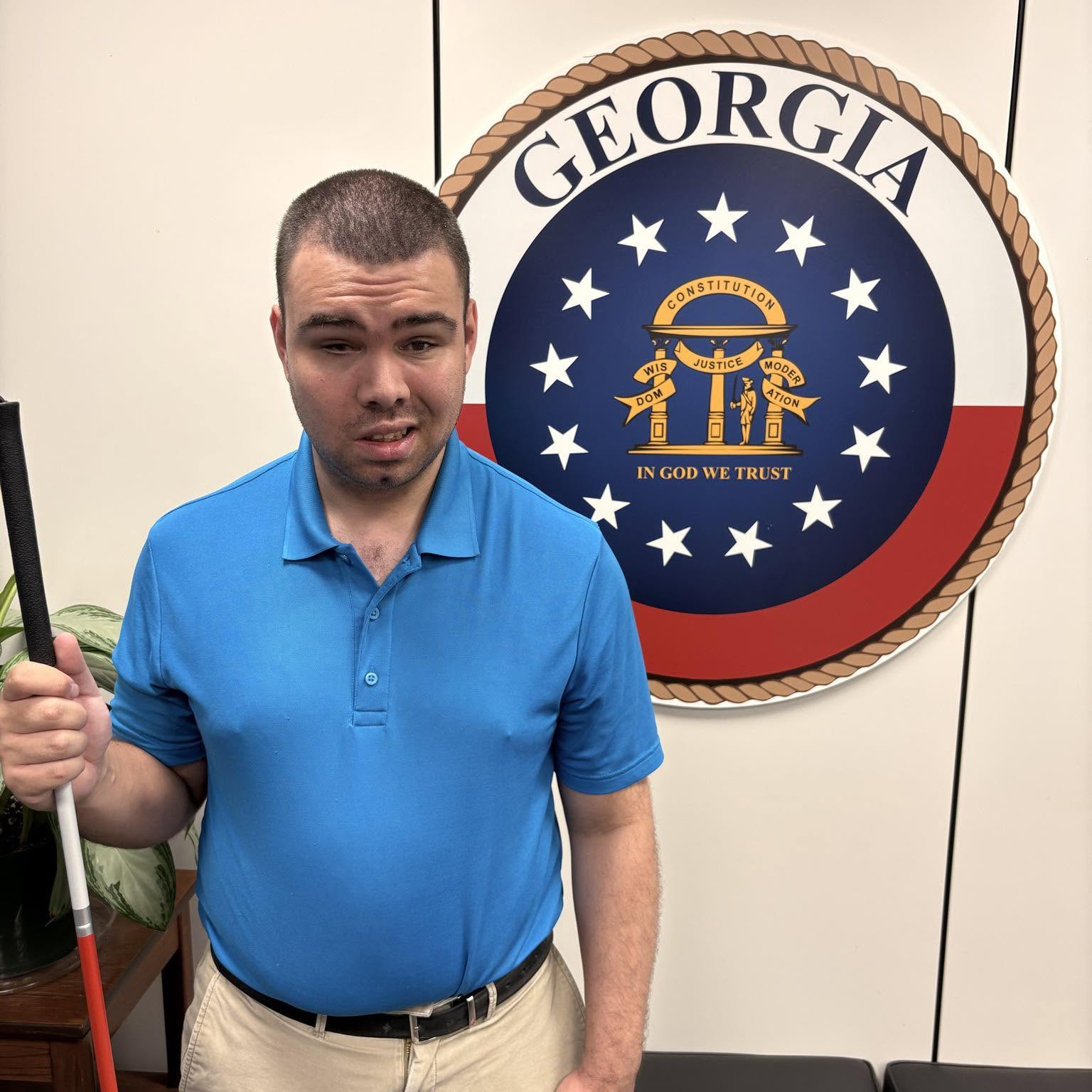
Have a question about how I navigate daily life? Select any of the questions below to expand and find the answer.
Let me be blunt with you! I created this website because I’m tired of answering the exact same questions about my blindness over and over again—especially when the answers are easily searchable online via Google or YouTube, where there are many other blind content creators. While I completely understand that people are naturally curious about how I independently navigate the world without sight, repeating the same explanations gets exhausting. This website serves as a central hub for my perspective, including how to respectfully interact with me when we’re out in public or online.
Additionally, this website provides concrete proof and receipts of my advocacy work across the community. Instead of just taking my word for it—or forcing you to waste your time digging through various public records and news sources to verify what I’m talking about—you can find all the facts, meetings, and receipts right here in one place.
I can only see sunlight. This means I can tell when it’s daytime or nighttime, but I don’t see shapes, colors, or objects. Depending on the person, visual perception in the blind community ranges from seeing blurry shapes all the way to complete blindness (total darkness). Some people may also be blind in only one eye.
The short answer is that I use alternative techniques to accomplish daily tasks privately and independently. Blindness doesn’t mean a task is impossible; it simply means it requires a non-visual approach.
Here are a few ways I handle day-to-day activities:
- Technology: I operate computers, smartphones, and digital interfaces using specialized assistive technology like screen readers.
- Home Management: I cook meals, manage the house, and do my own laundry using accessible appliances and organizational systems.
- Navigation & Travel: I travel independently using Meta Smart Glasses (especially at airports), a white cane for physical obstacle detection, and mobile apps like Aira to virtually explore and familiarize myself with complex, unfamiliar layouts.
Simply put, with the right tools, training, and techniques, I can complete the same everyday tasks as anyone else—just through a non-visual workflow.
The short answer is that I travel like everyone else, just using different transportation methods to get where I want to go—it’s all about independence. For long-distance travel to the airport, I use Groome Transportation (and recently advocated to make their service more accessible for blind customers due to screen-reader barriers on their website). For shorter distances, I rely on Uber, Lyft, or have family members and supportive friends take me where I need to go.
I use a white cane (not a stick). Let me say this again: it’s NOT A “STICK!” It detects physical objects in my path, such as:
- Light/Utility Poles
- People
- Cars, trucks, and/or other vehicles
- Storm drains
- And so on.
The National Federation of The Blind (NFB) provides a free white cane program for blind people like myself to obtain one at no cost.
Navigating indoors is completely different from walking down a public street, and my use of my cane depends entirely on how familiar and controlled the environment is.
- In Familiar Environments (Like My House or Room): I don’t use my cane at all. I rely on a highly precise mental blueprint of the space, muscle memory, and non-visual techniques like trailing (lightly following a wall or counter with my hand) to move around with total comfort.
- In New or Transition Spaces (Like a Recent Airbnb Stay): When I first arrive at a new place—especially one with multiple levels like a basement, main floor, and an upper floor—I spend the first couple of hours using my cane as a scouting tool to safely explore and map out the layout. Once I’m completely comfortable and my brain has downloaded the mental map, I fold my cane, set it aside in the bedroom, and move around cane-free.
- Outside My Room (Hotels and Public Areas): The moment I step outside of my personal hotel room or a controlled environment, I always use my cane. Public spaces are unpredictable, so the cane is essential for detecting unexpected obstacles, changes in flooring, or other people. Additionally, when navigating massive, complex layouts like a large hotel, I often use Aira (a visual interpreting service that connects me to a live, sighted agent through my phone camera) to help me seamlessly find elevators, specific room numbers, or exits—depending on whether I can afford the service minutes at the time.
I use an electric razor to shave my face, beard, and chin. All I have to do is to move it around over and over again to make sure that all of the hair is shaved down.
For the broader blind and low-vision community, absolutely yes! Blind adults have the exact same autonomy as anyone else to decide whether or not to drink. Being blind doesn’t stop someone from walking into a bar, ordering a drink, and enjoying a night out like any other patron.
To be completely transparent about my own habits, I personally choose not to drink alcohol. When I visit bars—such as the ones located inside hotels—I stick to ordering sodas or water.
Here’s a detailed look at how I see reactions on different platforms. To start, screen readers like VoiceOver read the text displayed on my iPhone’s screen aloud. For example, Facebook might announce a notification as: “Jon Smith likes your post” or “Jon Smith reacted to your post.” To see exactly who reacted, I double-tap the notification in the app, double-tap the total number of reactions, and VoiceOver reads the list of names. I can even filter the reactions by category to hear exactly who left a like, love, or any other reaction.
I type using standard hardware, mobile touchscreens, and specialized accessibility software depending on the device:
- On My iPhone: I use Apple’s built-in screen reader, VoiceOver. For text entry, I mostly rely on Siri Dictation. However, if privacy concerns or noisy environments make dictation difficult, I manually type on the screen by navigating the keyboard and double-tapping each letter. In the past, especially during school, I also paired my phone with a refreshable braille display. These displays aren’t limited to computers; they can connect to tablets and iPhones via Bluetooth to output tactile text.
- On Computers: I use standard QWERTY-style keyboards and type just like everyone else. I was formally trained in touch-typing throughout elementary, middle, and high school. A major tool I used during my training was an accessible software program called Talking Typer, which now has iOS and online versions.
- Desktop Screen Readers: To navigate computer operating systems, I utilize a few different screen readers:
I use different tools to obtain image descriptions, also known as alt text:
NO! I don’t use pen and paper. I handle all note-taking, contact management, and record-keeping through accessible digital devices, screen readers, and smartphone apps. If you need me to save information, sending it digitally via text message(s) or email is always the best approach.
No, I can’t see color visually. However, I can identify colors through my other senses—specifically through the smell and taste of different flavors.
For example, when I’m eating candy, I can easily tell different colors apart based entirely on their distinct flavors and scents. My brain matches those tastes to the concept of the color, allowing me to know exactly what color I’m experiencing without needing to see it.
For printed, embossed materials, I read using Braille—a tactile code consisting of a six-dot cell layout. The Braille code was originally developed by Louis Braille in 1824 when he was a teenager.
Printed materials can be translated and embossed into Braille, making things much easier for a blind person who needs a physical, hard copy of a document, such as a meeting agenda. A Braille embosser handles this task quickly, saving a blind person from having to manually type everything out using a mechanical Braille writer, known as a Perkins Brailler.
While some blind people use a slate and stylus to manually punch out quick notes on paper, I personally do not use one.
I rely on a mix of modern accessible technology, smart appliances, and visual interpreting services to prepare my meals:
- Air Fryer: I frequently use an air fryer to cook frozen foods and reheat leftovers like french fries. My air fryer connects to the VeSync app over Wi-Fi, which allows me to independently set the cooking time and temperature from my phone. The only downside is a physical design flaw: after setting everything up in the app, I still have to press a physical button on the machine itself to actually start the cooking process.
- Microwave: I use the microwave to quickly heat up leftovers, sandwiches, or takeout meals from DoorDash and Uber Eats.
- Oven: I rarely use the traditional oven because its current interface isn’t fully accessible to me. When I do need to use it, I get live visual assistance through apps like Aira or Be My Eyes. However, relying on these workarounds can be frustrating due to the layout and lack of tactile feedback on the oven’s control panel.
No. I cannot tell how someone is feeling by touching their face—that is just a movie cliché. What I can tell you is that I read people through the tone of their voice. A person’s vocal register, pacing, and inflection tell me everything I need to know about their emotions.
The short answer is no. Blindness doesn’t grant me ‘super-hearing’ or magically alter my ears. Instead, because I cannot rely on sight, I simply pay much closer attention to my four remaining senses, using sound, touch, and environmental cues to actively map the world around me.
These questions above are just starting points. I encourage genuine, honest curiosity and open conversations—feel free to reach out directly using the email address below or by contacting me on this website.
If you’re getting to know me for the first time, you can also reach out via Facebook Messenger, text, phone call, FaceTime, or even ask me in person.
I have a question that’s not listed on this page
If you have a question, and if it’s not listed on this page, please don’t hesitate to email me at hello@armandovias.com.
After reviewing your question, it’ll be posted onto this page, along with the answer.